
Private Redaction for Chrome
Black out sensitive information in any image, screenshot or selected text, right where you are. Redaction happens on your device, nothing is uploaded, and the optional private-AI detection is hardware-verified.
Black out sensitive information in any image, screenshot or selected text, right where you are. Redaction happens on your device, nothing is uploaded, and the optional private-AI detection is hardware-verified.
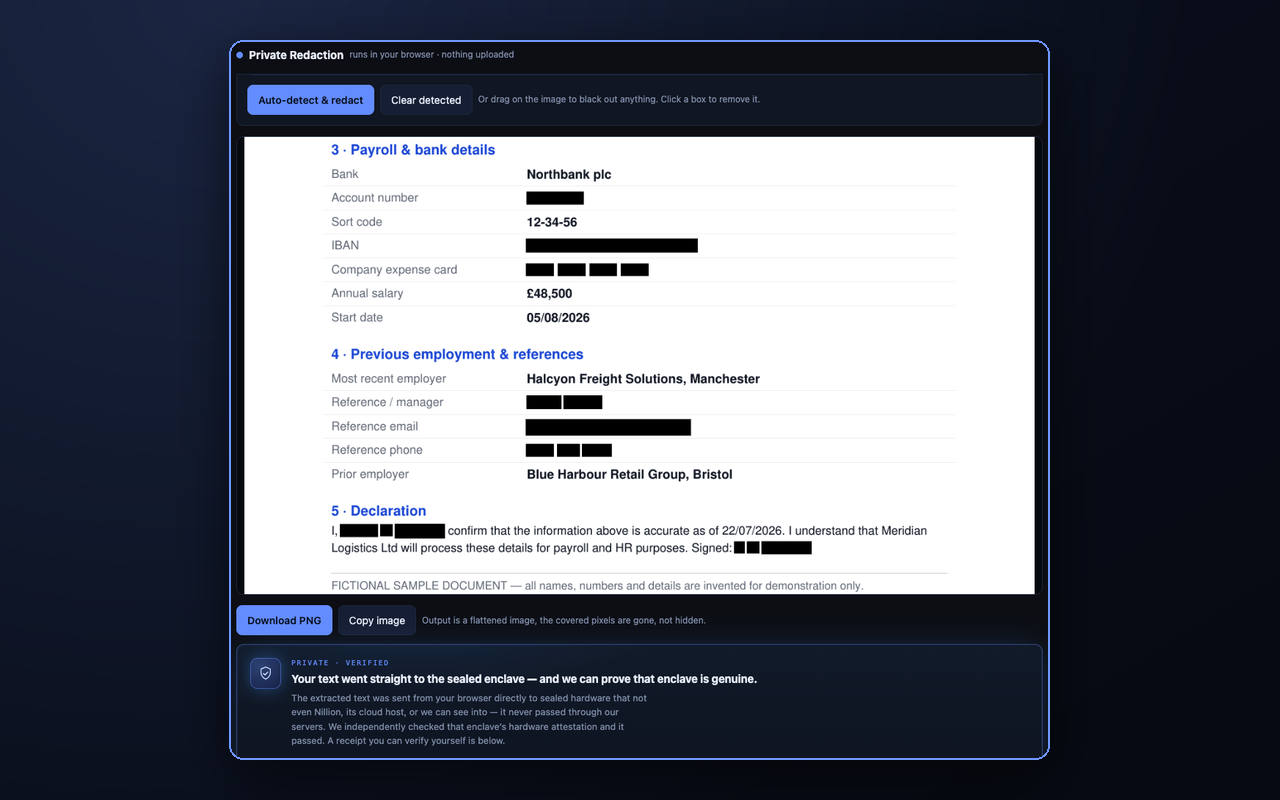
Every flow opens a private workspace where you can auto-detect sensitive items, black out anything by hand, and copy or download the result.
On any image or screenshot, choose Redact this image. It reads the text on-device and blacks out what it finds.
Click the toolbar icon and drag a rectangle over anything, a bank balance, an order, a chat, and redact just that.
Highlight text and choose Redact selected text to get a cleaned version you can copy.
Drag on the image to cover anything the detector missed, and tap a box to remove it. You are always in control.
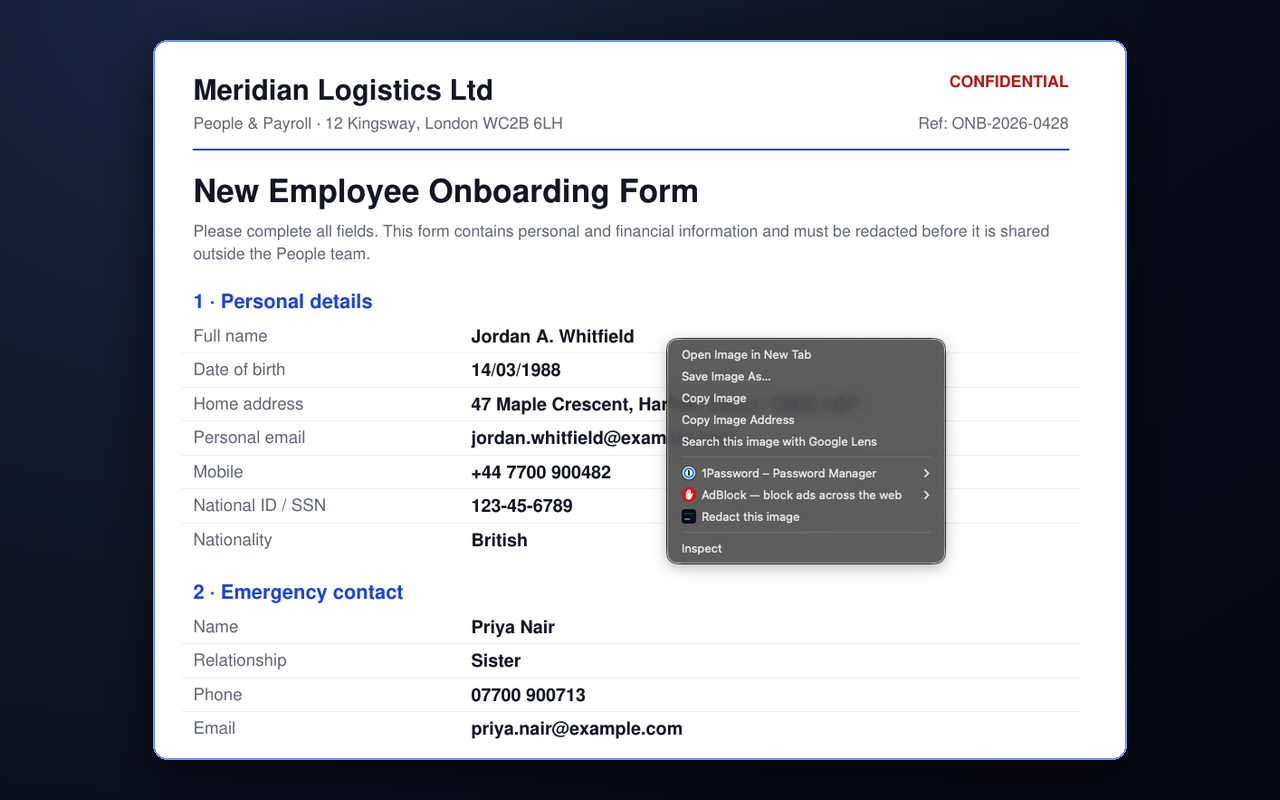
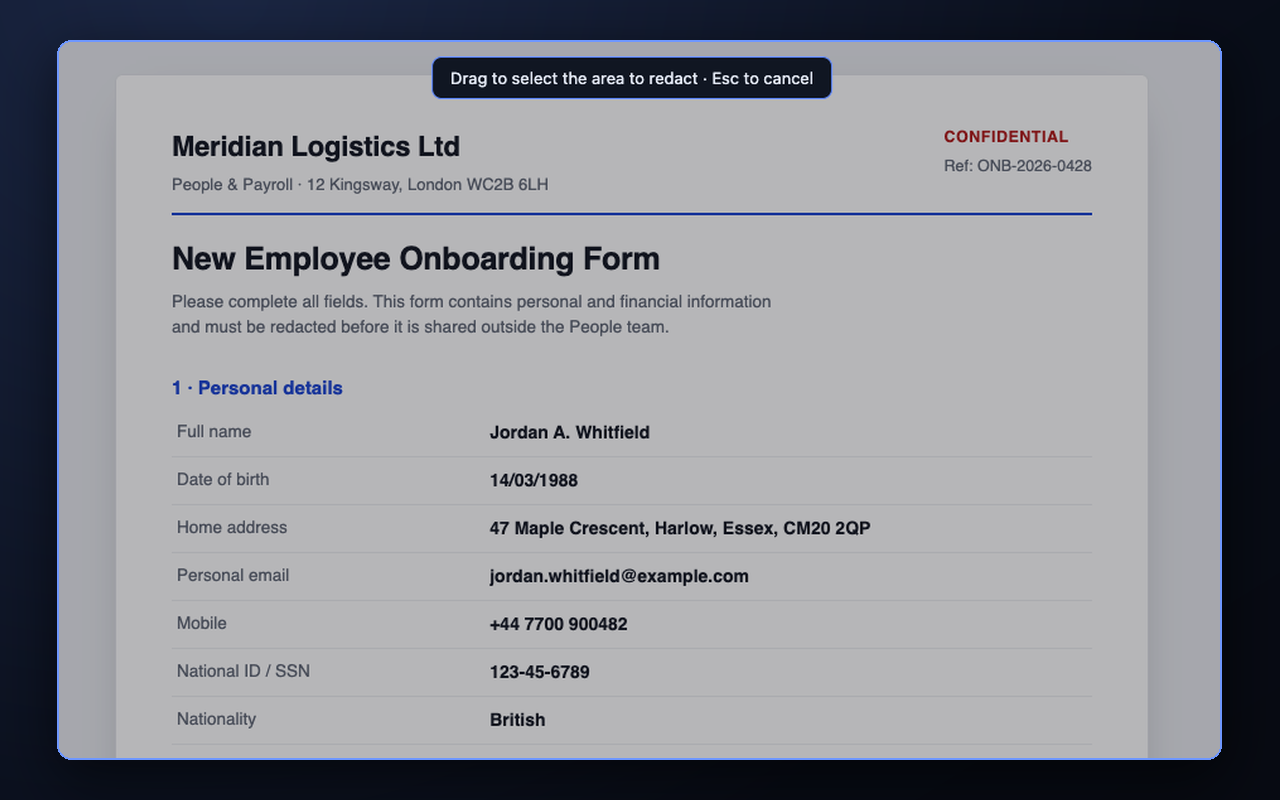
Auto-detect covers emails, phone, card and account numbers, IBANs and more with rules that run entirely on your device, plus names, addresses and organisations via the private AI. Review every item in a checklist and untick anything you want to keep.
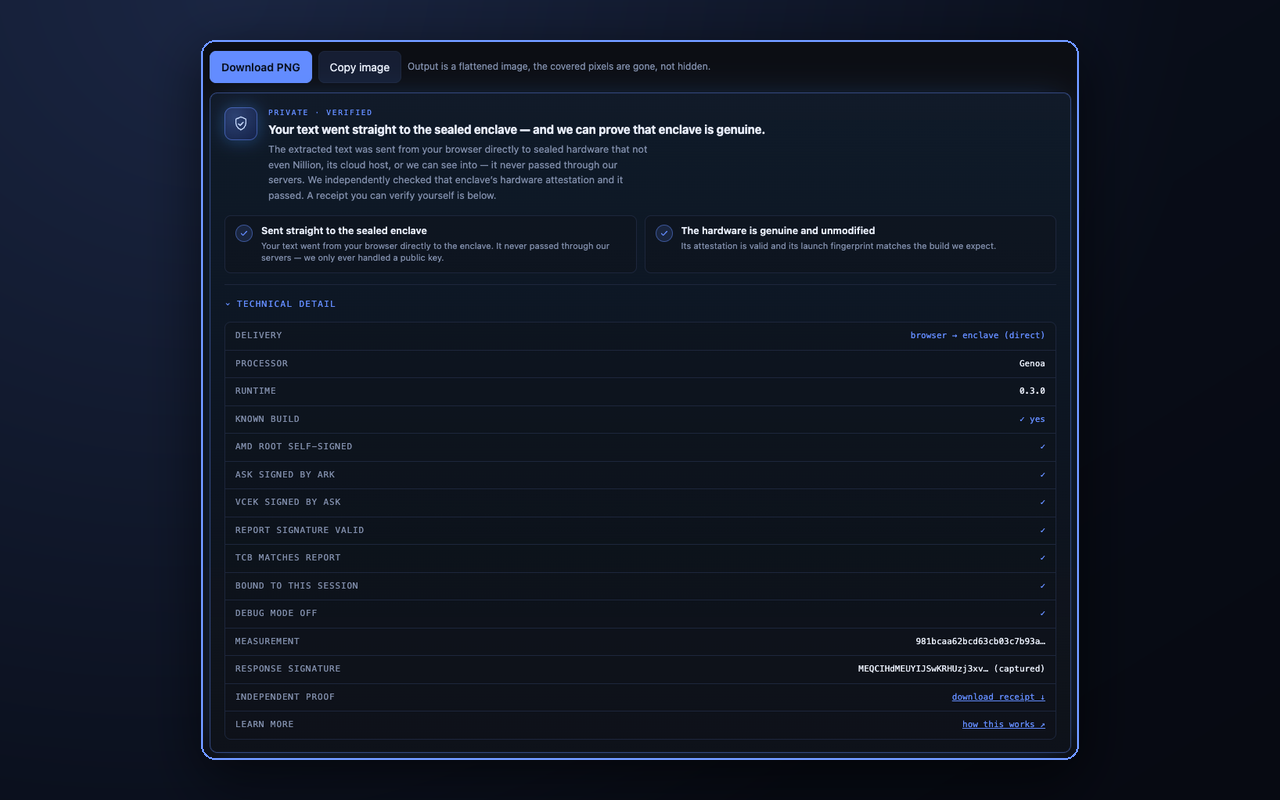
When the AI reads your text, the extension independently checks the enclave's own hardware attestation and shows you the result, with a receipt you can verify yourself. You do not have to take our word for it.
Yes, and it is open source. You can read the code on GitHub.
No. Redaction and text recognition run in your browser. Only the AI categories send the extracted text, and it goes straight to the sealed enclave, not to us, and is not stored.
Any image or screenshot, a dragged region of a page, or selected text, covering emails, phone, card and account numbers, IBANs, and names, addresses and organisations. You can also black out anything by hand.
Yes. The result is a flattened image, so the covered content cannot be recovered.
Google Chrome and Chromium-based browsers such as Microsoft Edge and Brave.
Ready to try it? Add Private Redaction to Chrome, or redact a document in the web app. Prefer to read first? See how to redact properly.
 Add to Chrome